
A public map that stays up to date
Publish a map that keeps itself current.
Bring a spreadsheet or a feed that changes. You get a map at a public link that refreshes on a schedule. The link stays the same.
Free to start. Routines on a paid seat.
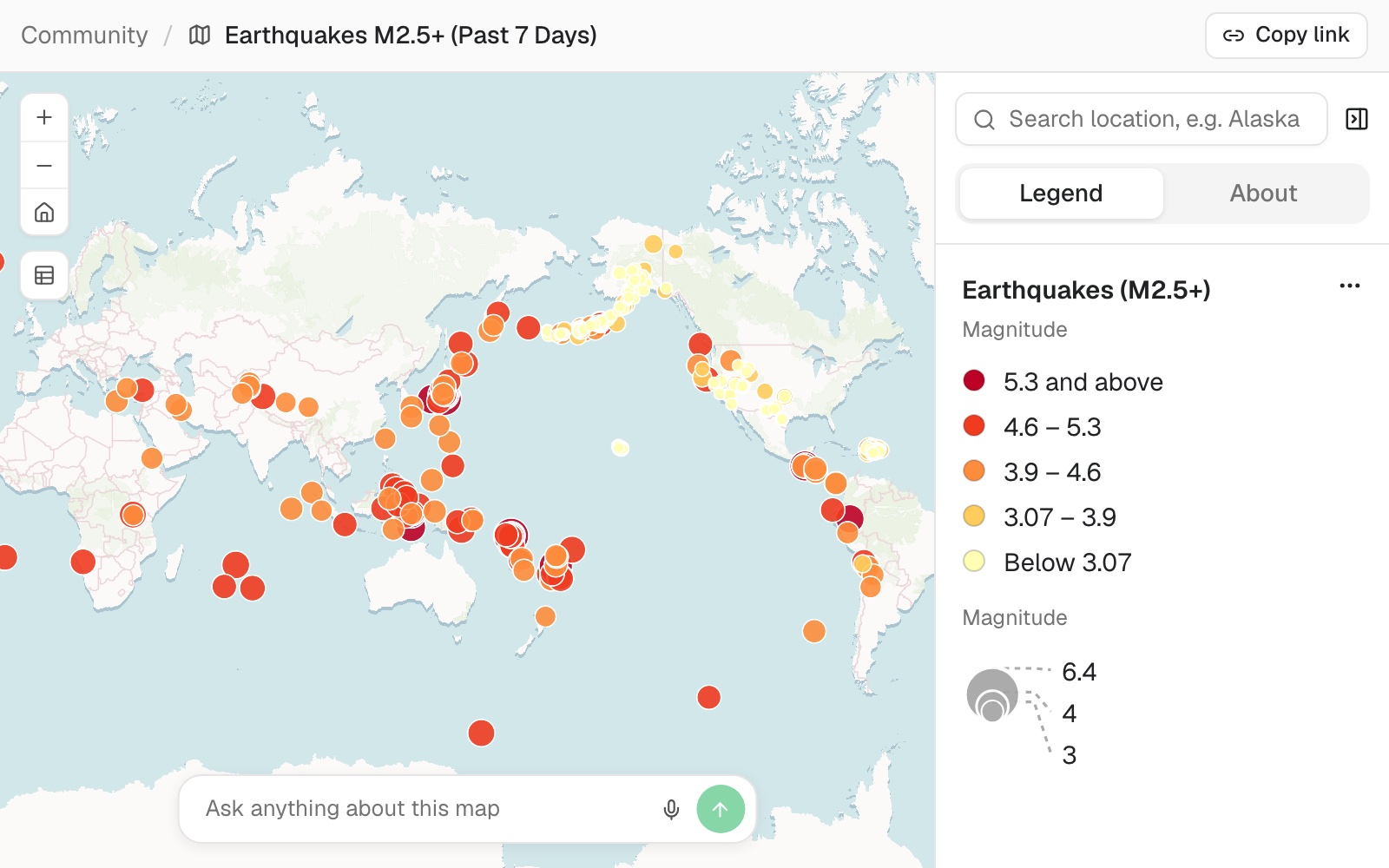
| One link, kept current | |
|---|---|
| Earthquakes on the map | 318 |
| Refreshed from the feed | Hourly |
| Who can open the link | Anyone |
The link stays the same for as long as the map is public.
For anyone who sends people a map link
A project map for partners.A status map for residents.A list of sites a colleague edits every week.
The link you sent still shows the day the map was made.
Keeping it current usually means making the map again, or asking whoever built it.
Here the link stays the same. A routine, a job Mapstack runs for you on a schedule, fetches the latest data behind it.
In the example, the US Geological Survey's earthquake feed changes every few minutes. Nothing was attached: Mapstack fetched it from its address, and anyone with the link sees the latest week, with no account.
Check it before you send the link
Do not wait for the first scheduled run to find out.
You write the routine as you would brief a colleague: where the new data comes from, and which map to update.
Show me how to run the refresh once now, so I can check it works.
On the routine's page, select Run now. The run appears with the dataset and the map it updated, and the page shows when the routine last ran and when it runs next.
How it goes
Three things: the map, the link, the routine. Mapstack makes the first and walks you through the other two.
Say where the data lives and what the map should show.
Publish it and copy the link.
Set a routine to refresh it.
The step-by-step guide is in the documentation: Publish a map at a link that keeps itself up to date.
Common questions
What does it cost?
Free to start. One seat, for you, with a starter amount of work each month. No card.
The map and its public link are on the free seat. With your own files and public sharing.
The routine that refreshes it is on a paid seat. Paid seats are per person, and bring more work each month.
The prices are on the pricing page.
What happens to my data?
It stays in your workspace. Only people with a seat in your workspace can see it. Nothing leaves unless you publish it yourself.
It is not used to train AI. Your data and your conversations are not used to train AI models.
It is still yours. You keep ownership of what you bring in. Delete it and it is removed.
The full answer is in the documentation: Your data, privacy and security.
Where can the data come from?
A shared spreadsheet. In Google Drive, OneDrive or Dropbox, connected to the routine. With coordinates or addresses.
A feed at a fixed address. Mapstack downloads it each time the routine runs.
On your schedule. Hourly in the example. Weekly suits a list people edit by hand.
Publish yours.
Free to start. Routines on a paid seat.