
Mapstack Automation
AI automation for GIS work.
Do the job once. Mapstack reruns it on fresh data and updates the maps people already have.
Free to start. Routines on a paid seat.
Watch a routine get set up
One recurring job, start to finish: described once, tried by hand, then left to run.
The Monday update, done before Monday.
Your AI teammate keeps the work current
From a job you do again and again to one that does itself, with a record of every run for your review.
Write the brief once
Describe the job in plain words, as you would hand it to a colleague. No model to build and no script to maintain.
Runs when it should
On a schedule, when a dataset is edited, when another system calls it, or when you press run. You choose which.
The link never changes
Each run updates the datasets and maps in place, so everyone who already has the link sees the new data.
Mapstack reports what it did
Every run says what it touched and what it had to assume. You find out from the record, not from a complaint.
Mapstack stops when it should
If a run meets a decision only a person can make, it stops and says what the decision is.
The whole job, not one step
Fetch the file, clean it, rerun the analysis, update the map, write the report. One routine can do all of it.
Every run updates what people already have
Nothing is reissued and nobody is sent a new file. The map they bookmarked last month is the map with this morning’s data.
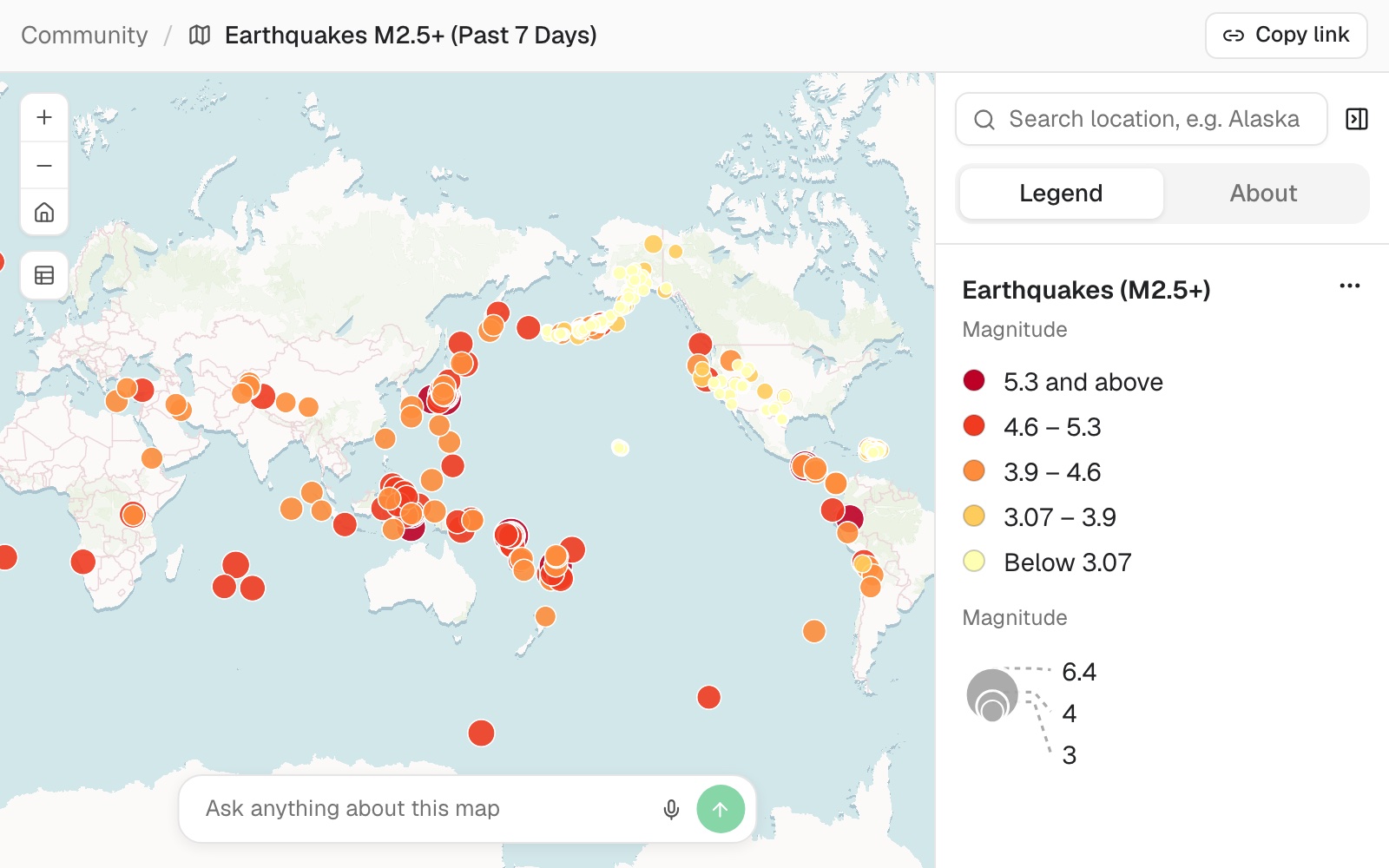
- The same link. Shared once. It keeps working through every run.
- This run’s data. Drawn from the dataset as the routine last left it.
- A legend that keeps up. Classes and counts follow the data, with no restyling.
- Questions answered from it. Anyone can ask the map, and the answer uses the latest run.
Hand over the jobs that come round again
Four routines, as someone would write them, and what each run leaves behind.
Keep the team’s screen current
Brightside, a facilities contractor running city service requests
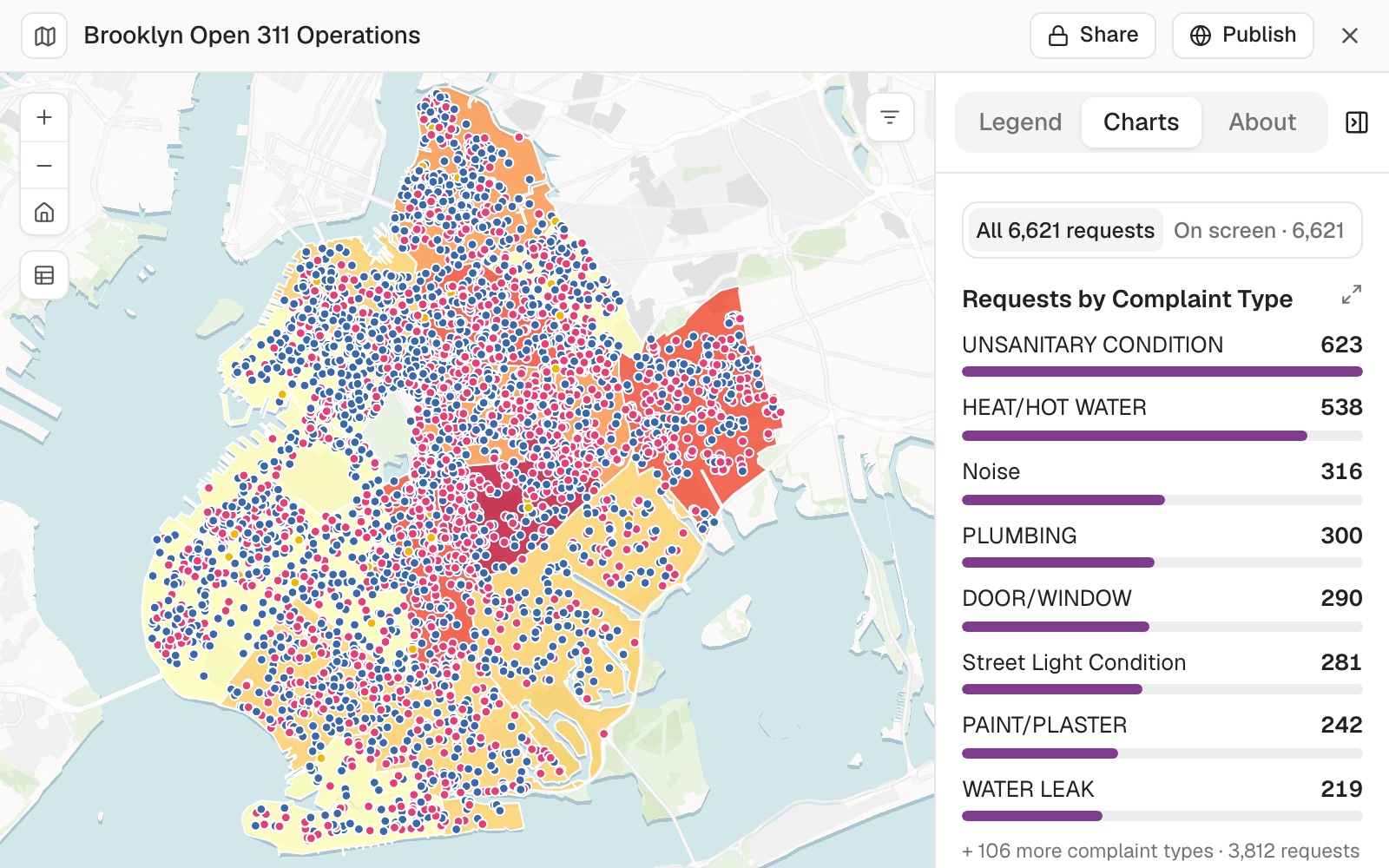
The request
Every weekday at 6, fetch the latest requests export from our drive, replace the open-requests dataset and tell me how many were added and closed since the last run.
What came back
- The dataset replaced, the map updated in place
- Added and closed since last time, counted
- A two-line record of the run
Rerun the analysis whenever the data is updated
Dashly, a grocery-delivery app tracking late orders
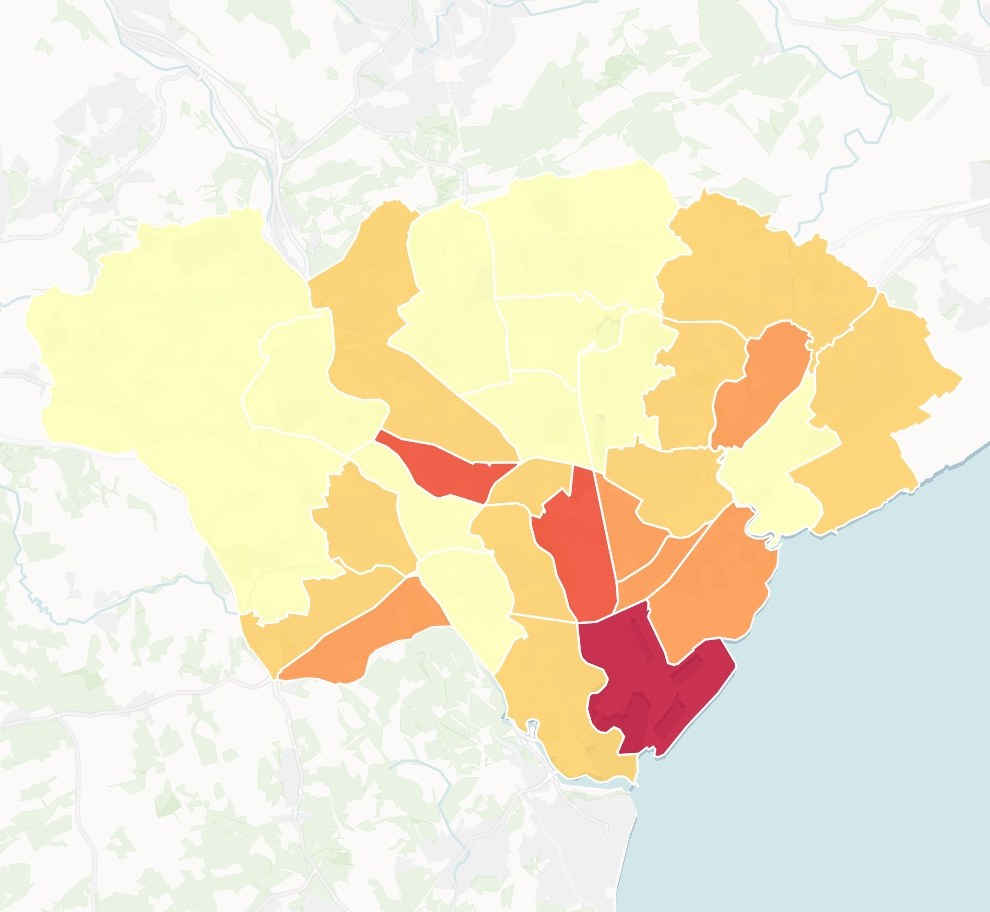
Late deliveries
Per 1,000 orders, this month
- 6.3 and above
- 2.5 – 6.3
- 1.6 – 2.5
- 0.8 – 1.6
- Below 0.8
Last run: 1 November, started by an edit to the orders dataset.
The request
When the orders dataset is edited, work out late deliveries per 1,000 orders for each zone, update the map and name the three zones that moved most since the last run.
What came back
- The same method, on the new data
- The map updated, same link
- The biggest movers named in the run record
Let the map follow the register
Greenline, an urban tree-care contractor
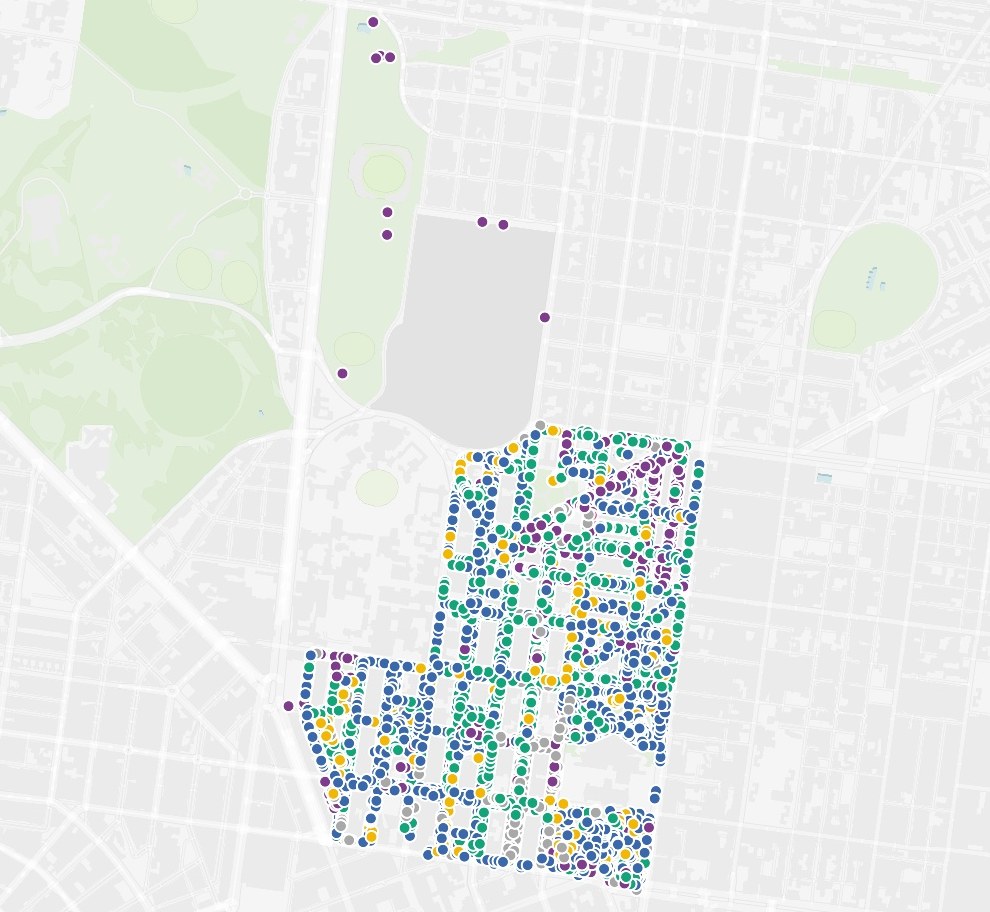
Useful life left
Trees in each band
- Over 40 years · 766
- 31 – 40 years · 1,327
- 21 – 30 years · 1,482
- 11 – 20 years · 272
- Under 10 years · 13
The request
Fifteen minutes after anyone edits the tree register, recount the trees due for inspection in each age band and update the register map.
What came back
- Runs after the edits stop, not during them
- Counts redone, map updated
- Crews see the change without asking for it
Have the report written before the meeting
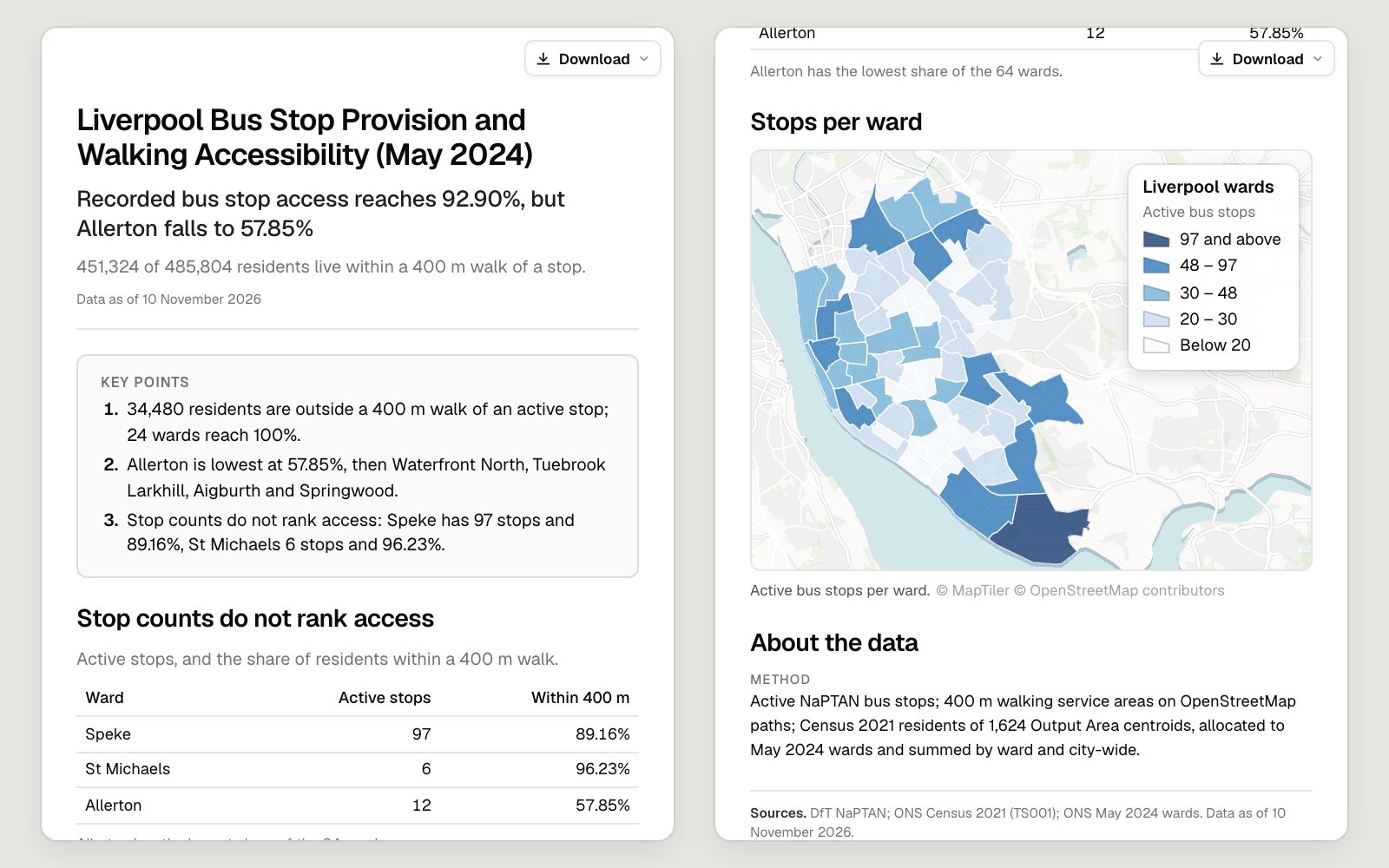
Arrow, a bus operator reviewing its network
The request
Every Monday at 7, write the weekly access report from the current stops dataset: the headline figure, the areas that fall short and what changed since last week.
What came back
- A dated report, waiting on Monday morning
- This week’s figures against last week’s
- Method and sources at the end, as always
Fits around the systems you already run
Pick what starts it, what it reads and what it keeps up to date.
- What starts a runOne routine can have more than one.
- Hourly, daily, weekdays or weeklyAn edit to a datasetA call from another systemRun now
- What it readsFetched fresh on every run, without asking.
- Google DriveOneDriveDropboxOpen data on the webDatasets in your workspace
- What it keeps currentUpdated in place, so links and bookmarks carry on working.
- DatasetsMaps and dashboardsReportsPrints
Mapstack runs it. You set the rules.
You would watch a colleague do a job once before you left them to it. It works the same way here.

- Try it before you trust it. Run a routine by hand and read the result before it goes on a schedule.
- Every run is on the record. What it touched, what it assumed and why, kept for each run and open in full.
- It will not make a mess. A run stops before anything that cannot be undone, such as deleting data.
- A failure tells you what to do. When a run stops, it names the decision a person has to make.
- Pause it whenever you like. Pause, edit or delete a routine at any time. What it has already made stays.
An example of how it goes
Written on Friday. Running by Monday.
Dana is the GIS analyst at a facilities contractor. Every Monday she rebuilt the open-requests map by hand, so the control room had it by ten.
- requests-export.csv
Every Monday at 6, fetch the latest requests export, replace the dataset and update the open-requests map.
Friday 3:10
She writes the brief
The Monday job, in the words she would use to hand it to someone else.
Friday 3:18
She tries it once
Run by hand. The map updates in place and the record says what was added and closed.
Run it every weekday, not just Mondays.
Friday 3:20
She changes the schedule
If it costs her nothing, the control room may as well have it daily.
- Last run
Today, 6:00
Updated 1 dataset and 1 map
Monday 6:00
It runs without her
The control room opens the same link as always. The data is this morning’s.
Dana got her Mondays back.
Two hours every Monday went on a job that never changed. Now it happens five days a week, and she reads a two-line record instead of doing the work.
The jobs this gets done
- Publish a map that keeps itself currentA public link, refreshed on a schedule.
- Re-run last month's analysis on new figuresThe same method, the new map, and what moved.
- Build one screen that shows what is happening whereOpen work on a map, with charts and filters.
- Write the crime brief, then have it repeatEvery crime type and district against last month, as a report a routine makes again.
- Turn river sampling results into a quarterly reportAbove and below the works, each point against your target.
- Keep a register of your assets on a mapA survey as a register, and the list a contractor needs.
What it costs
Mapstack is priced per person. Routines come with a Creator seat, and each run uses part of that seat’s monthly allowance.
Free
$0for one person
Make maps and run analysis on your own files, and rerun them by asking. Private to you until you choose to publish.
Creator
$16a person a month, billed yearly
Adds routines that rerun the work without you, reports, prints and private sharing with your team.
Creator Max
$80a person a month, billed yearly
The same, with a larger monthly allowance for routines that run often.
Colleagues who only need the results take a Viewer seat at $10 a month. They always see the latest run, and can ask it their own questions in plain words. See every plan.
Common questions
What can a routine do?
The same work you could ask for in a conversation: find and fetch data, clean and join it, run an analysis, update datasets and maps, and write reports and prints. You describe the job in plain words.
When can a routine run?
On a schedule (hourly, daily, on weekdays or weekly, in your time zone), a short while after a dataset is edited, when another system calls it, or when you press run. A routine can run as often as every hour.
How do I know what a run did?
Every run is listed with whether it succeeded, the datasets and maps it touched, and anything it had to assume. Any run opens in full, so you can read it step by step.
What happens when something goes wrong?
The run stops and is marked as failed, with the decision a person needs to make. A routine never deletes a dataset or a map, and it stops before any change that could not be undone.
Do the people I shared a map with need a new link?
No. A run updates the map in place. The link stays the same for as long as the map is shared.
Which plan do I need?
Routines need a Creator seat in a workspace on a paid plan.
Is the data I upload private?
Yes, on every plan, Free included. Your files and everything made from them are private to your workspace by default. Nothing is public unless you choose to publish it, and you can make it private again.
What happens to my data?
It stays in your workspace and it stays yours. Only the people you give a seat to can see it. It is stored in the United States, it is not used to train AI, and when you delete it, it is removed.
Hand over your first recurring job.
Free to start. Routines on a paid seat.