

Make something public
Publish a map or dataset so anyone with the link can open it, without an account.
Everything you make starts private: only people with a seat in your workspace can open it. Publishing gives it a public page, so you can send the link to anyone, or put it on a website or in an email. Publishing is something you do yourself; Mapstack does not do it for you.
Before you start
You need a Free, Creator or Creator Max seat. A Viewer cannot publish.
Check what is in the data first. A public map shows its records to anyone who opens it.
Steps
Open the map or dataset
Open it beside the conversation, or from your Library.
Select Publish, then Public
Publish is at the top of the open item. The choice is Private (default), for people in your workspace only, or Public, for anyone with the link.
Confirm with Make public
Select Make public to let anyone with the link open the item.
Copy the link
Select Copy link, or Open public page to see what a visitor will see.
What changes afterwards
The item has its own public page on mapstack.io. A visitor needs no account to open it. On a public map they get the map with its legend, search, filters and table, and a box for asking questions about it, with suggested questions to start from. They cannot change anything.
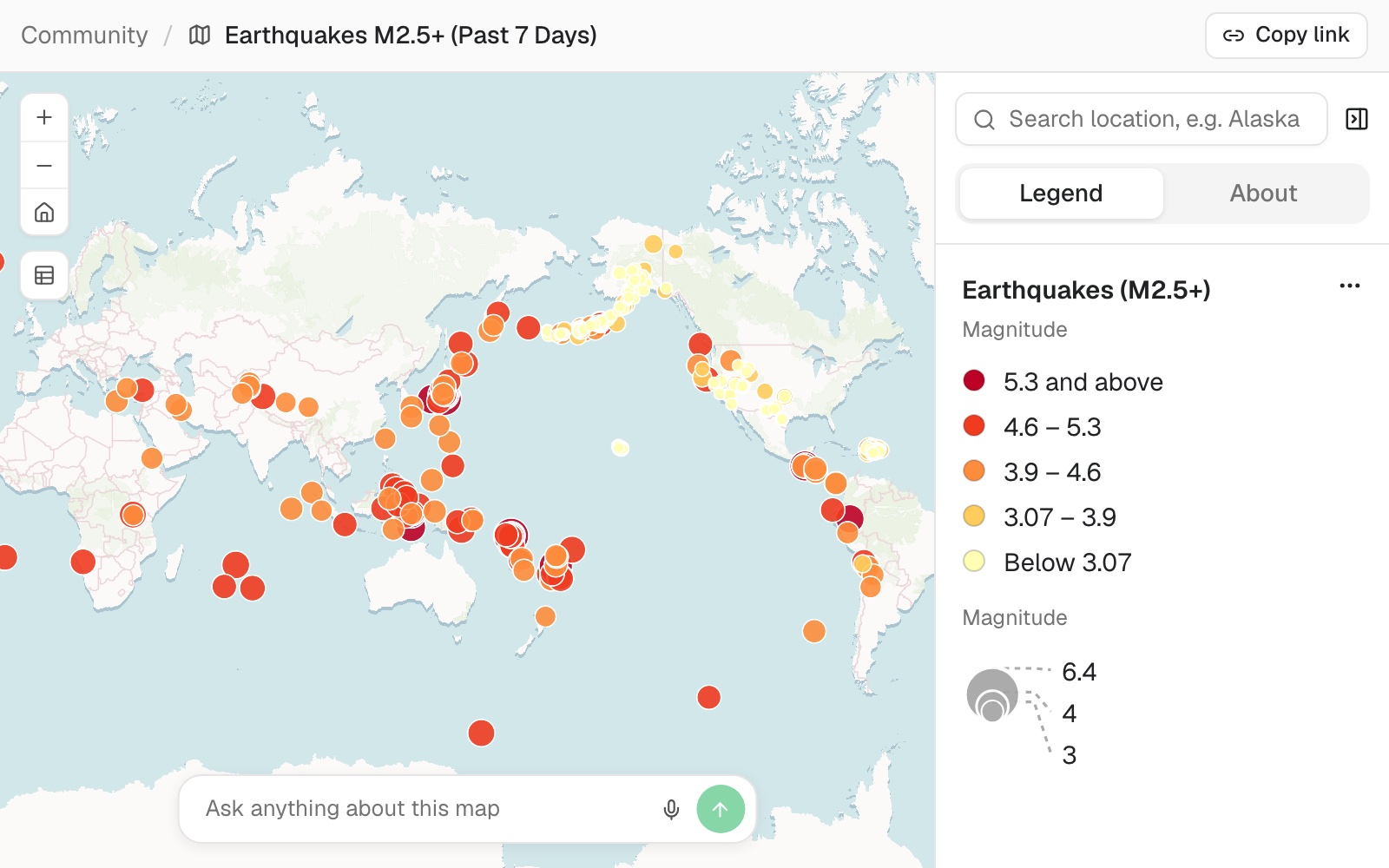 Example: a public map as anyone with the link sees it: 318 earthquakes of magnitude 2.5 and over from the past week, sized and coloured by magnitude, with the legend, a search and the box for asking about it.
To make it private again, select Publish and choose Private (default).
Search engines can find a public page, so it can turn up in search results.
A public map, dataset or report is also put forward for the Community Library, Mapstack's public catalogue, where it is reviewed before it is listed. Making it private again takes it out.
A public map has no download. Its datasets keep their own setting: a visitor sees their records on the map, and can download a dataset only from its own public page, after signing up. Publish the dataset too if that is what you want.
What publishing exposes, and who can see everything else: Your data, privacy and security.
Common questions
What is the difference between Share and Publish?
Share is for people in your workspace: it gives them a link and lets you send it by email. Publish is for everyone else: it makes a public page that opens without an account.
Can I protect the link with a password?
No. A public page opens for anyone who has the link. To keep work to named people, give them a seat in the workspace: see Share with people.
Can I embed it in my website?
There is no embed code. Link to the public page.